
Import Photos
Add Watermark
Export Watermarked Copies
Feature Showcase
Create eye-catching watermarks in just a few clicks
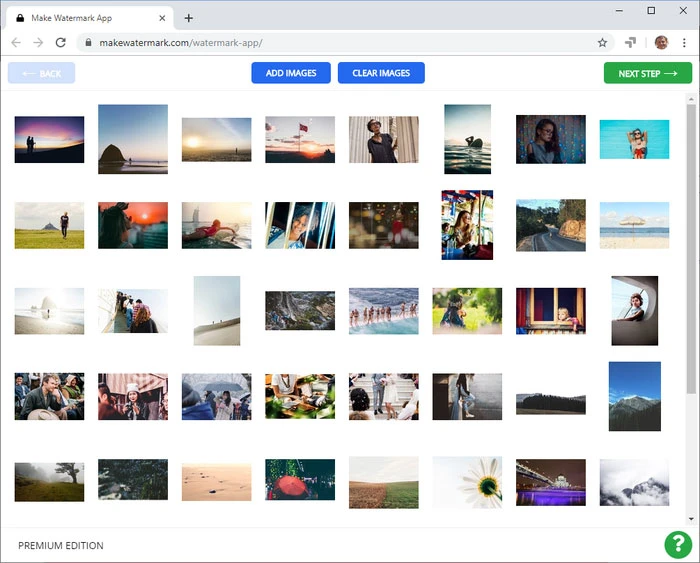
During editing, you will have a great view of your image, since it will take up the majority of the screen. However, please, note that you won’t be able to zoom in and out of your photo. In our free watermark maker, the toolkit shows up right next to a watermark, so all the essential tools will be readily accessible, and you won’t have to move the cursor around the screen a lot. This will undoubtedly make the editing process unchallenging and quick. Make Watermark offers a great variety of tools, with the help of which you’ll be able to design individualized watermarks that will become a harmonious part of any photo. You can:
Choose one of 900 assorted fonts
Adjust size and opacity using scroll bars
Enable straight or diagonal repeated watermarks
Add one of 65 varied effects

Watermark a batch of photos
Do you need to add a watermark to more than one photo? Perfect! Our app can process several dozen images in one go! If your batch consists of small and large photos, the app will modify the size of your watermark. If you upload a few landscape- and portrait-oriented photos, the position of your watermark will be adjusted. Both of these actions are done automatically by default. However, Make Watermark has the Preview Section, where you can reposition and resize your watermark on each image manually.

Your privacy is our top priority
Free software products from unverified sources may contain malware, which is why it’s dangerous to download them. Not to mention, that installation of any offline app will, at best, steal a few minutes from you. Online services are better and safer to use since neither your computer will be put at risk nor your time will be wasted. Make Watermark is a risk-free and trustworthy online application that is built to protect your visual content from being stolen.
Your photos never even reach our servers, let alone get stored there, because they are processed in your browser. Not a single person from our team has access to them. In addition to that, our watermark maker establishes only secure connections. You may rest assured that your files and devices will be perfectly safe with us. There are neither unwanted pop-ups nor intrusive ads. We want you to have a great experience!


All The Features
Textual Watermarks
Multiple Fonts
Your Logo
Unobtrusive Watermarks
Repeated Watermarks For Better Security
Resize Watermarked Copies
#!/usr/bin/env python3
import pandas as pd
import yaml
from sqlalchemy import create_engine
cfg = yaml.safe_load(open('config.yaml'))
engine = create_engine(f"postgresql://cfg['db']['user']:cfg['db']['password']@cfg['db']['host']:cfg['db']['port']/cfg['db']['name']")
df = pd.read_sql("SELECT * FROM gl_transactions WHERE fiscal_year = %s", engine, params=[cfg['fiscal_year']])
# aggregate & produce reports...
df.to_excel('reports/trial_balance.xlsx')
In the digital age, keywords are the backbone of search engine optimization, data retrieval, and content indexing. Occasionally, researchers, analysts, or casual users encounter strings like glfrcreportsb — sequences that appear structured but do not align with any known lexicon, database entry, or standard nomenclature. This article explores the possible origins of such strings, systematic methods to verify their meaning, and best practices for dealing with unverified keywords in professional and academic contexts.
Ensuring the feature works as expected.
package com.enterprise.finance.gl;import com.enterprise.finance.gl.dto.FinancialReportRecord; import com.enterprise.finance.gl.service.GLFinancialReportService; import org.junit.jupiter.api.Test; import org.mockito.Mockito;
import java.math.BigDecimal; import java.time.LocalDate; import java.util.Arrays; import java.util.List;
import static org.junit.jupiter.api.Assertions.*; import static org.mockito.Mockito.when;
class GLFinancialReportServiceTest {
@Test void testGenerateReportB_FiltersZeroBalances() { // Arrange GLReportRepository mockRepo = Mockito.mock(GLReportRepository.class); GLFinancialReportService service = new GLFinancialReportService(mockRepo); FinancialReportRecord rec1 = new FinancialReportRecord("1000", "Cash", new BigDecimal("100.00")); FinancialReportRecord rec2 = new FinancialReportRecord("2000", "Void", BigDecimal.ZERO); // Should be filtered when(mockRepo.findLedgerEntries(Mockito.anyString(), Mockito.any(), Mockito.any())) .thenReturn(Arrays.asList(rec1, rec2)); // Act List<FinancialReportRecord> result = service.generateReportB("GL001", LocalDate.now(), LocalDate.now()); // Assert assertEquals(1, result.size()); assertEquals("1000", result.get(0).getAccountCode()); assertEquals("ASSETS", result.get(0).getReportSection()); // Verify Series B
The user handle glfrcreportsb does not appear to be a widely known commercial entity or public figure with established reviews. If you are looking to create a "solid review" for a profile, service, or project under this name, a high-quality review typically follows this structure: Key Components of a Solid Review
Context & Use Case: Start by explaining what service or product was used and for how long.
Specific Highlights: Mention a particular feature or interaction that stood out.
Balanced Feedback: Include both what worked well and one minor area for improvement to maintain credibility.
Actionable Recommendation: End with who you would recommend this to. Sample Review Template
"I’ve been following the work from glfrcreportsb for a few months now, and the level of detail provided is consistently impressive. The reports are structured logically, making complex data easy to digest quickly. While the turnaround time can vary, the quality of the final output always makes the wait worthwhile. If you're looking for thorough analysis and clear communication, this is a top-tier choice."
If glfrcreportsb refers to a specific platform or internal report you've generated, you might find inspiration from similar service reviews on platforms like Trustpilot or App Store feedback. Coupert : Coupons & Cash Back - App Store - Apple
However, if you'd like, I can try to create a sample article on a topic that might be related to a made-up term like this. Please let me know what kind of article you're looking for (e.g. technical, educational, entertaining, etc.) and I'll do my best to create something engaging.
If you provide a real keyword or more context, I can write an article with the following outline:
Sample Article (Not related to the keyword)
If you want, I can create a random article. Here is a sample article on a random topic:
The Impact of Artificial Intelligence on Customer Service
Artificial intelligence (AI) has been rapidly transforming various industries and aspects of life, and customer service is no exception. The integration of AI in customer service has revolutionized the way companies interact with their customers, providing faster, more efficient, and personalized support.
What is AI in Customer Service?
AI in customer service refers to the use of artificial intelligence technologies, such as chatbots, virtual assistants, and machine learning algorithms, to automate and enhance customer support. AI-powered systems can analyze customer inquiries, provide personalized responses, and route complex issues to human customer support agents.
Benefits and Importance
The benefits of AI in customer service are numerous. For instance, AI-powered chatbots can handle a large volume of customer inquiries simultaneously, reducing the need for human customer support agents and saving companies significant costs. Additionally, AI systems can analyze customer data and provide personalized recommendations, improving customer satisfaction and loyalty.
Challenges and Limitations
While AI has the potential to greatly improve customer service, there are also challenges and limitations associated with its adoption. One of the main concerns is the lack of human empathy and understanding in AI-powered systems. Customers may feel frustrated or misunderstood if they are interacting with a machine that cannot fully comprehend their concerns.
Best Practices and Tips
To get the most out of AI in customer service, companies should follow best practices and tips. For example, it's essential to ensure that AI-powered systems are integrated with existing customer support infrastructure, such as CRM systems and customer databases. Additionally, companies should continuously monitor and evaluate the performance of AI systems to ensure they are meeting customer needs and expectations.
Case Studies and Examples
Several companies have successfully implemented AI in customer service, achieving significant benefits and improvements. For instance, a leading e-commerce company implemented an AI-powered chatbot to handle customer inquiries, resulting in a 30% reduction in customer support costs.
Future Outlook and Trends
The future of AI in customer service looks bright, with emerging trends and innovations expected to further transform the industry. For example, the use of voice assistants and natural language processing (NLP) is expected to become more prevalent, enabling customers to interact with companies using voice commands.
To provide a full essay on this term, we must first explore the most likely intended meanings and the significance of the patterns within the string.
| Situation | Action | |-----------|--------| | Keyword in official documentation | Contact the author or issuing body. | | Keyword in search engine suggestions | Try variations, use phrase match. | | Keyword in user-generated content | Ask the user for clarification. | | Keyword in a filename | Check metadata, file properties, or backup logs. | | Keyword as a code or constant | Search in source control (Git, SVN). |
Using undefined or incorrect keywords leads to:
Suggested CSV headers example (trial_balance.csv): account_code, account_name, opening_balance,debits,credits,closing_balance
If you have encountered this term in your work, here is how you can create your own guide by investigating it.
If you are looking for specific information, the user likely intended to type:
If "glfrcreportsb" is a specific password, local file name, or code from a video game or niche software, its meaning would be restricted to that specific context.
Report Metadata Catalog: The table stores a comprehensive list of all reports available in the BI catalog, including: BIP: BI Publisher reports. OTBI: Oracle Transactional Business Intelligence analysis. FR: Financial Reporting Studio reports.
Audit and Migration: It is primarily used by developers and administrators to audit custom reports, their descriptions, and their exact folder paths. Key Columns in GL_FRC_REPORTS_B REPORT_ID: The unique internal identifier for each report.
REPORT_PATH: The full web service path used to locate the report in the BI catalog.
REPORT_TYPE_CODE: Identifies the report format (e.g., BIP, Dashboard, Analysis, or FR).
BIP_REPORT_JOB_DEFINITION: Stores the ESS Job definition specific to BI Publisher reports. Essential Technical Context
Population Delay: Entries do not appear in this table immediately after creation. Users must navigate to Others > Financial Reporting Centre in the Oracle UI to trigger the synchronization that populates new custom report metadata into the table.
Schema: The table is owned by the GL (General Ledger) schema and resides in the FUSION database.
Related Tables: It is often queried alongside GL_FRC_REPORTS_TL, which holds the translated display names for the reports in different languages. Glfrcreportsb ((top))
GL_FRC_REPORTS_B refers to a critical database table within Oracle Fusion Cloud Financials (specifically Financial Reporting Center) that acts as the inventory listing for all business intelligence reports
. It is the "source of truth" for identifying where reports reside, what type they are, and who created them. Oracle Help Center
Here is an interesting breakdown and technical write-up of this table: What is GL_FRC_REPORTS_B? glfrcreportsb
The table stores metadata for BI Publisher (BIP), Oracle Transactional Business Intelligence (OTBI), and Financial Reports (FR). Name Breakdown:
GL (General Ledger) FRC (Financial Reporting Center) Reports B (Base Table). Key Functionality:
It maps report names to their absolute paths in the BI Catalog, allowing for systematic auditing and tracking of financial reports. Oracle Help Center Interesting Technical Aspects The "Delayed Update" Phenomenon:
A common query is why new reports don't show up immediately. The report information is not inserted into GL_FRC_REPORTS_B
right after creating a new report in the "Custom" folder. It requires a specific action—navigating to the "Financial Reporting Centre" in the Oracle user interface—to trigger the population of this table. Unique Audit Tracking:
It includes fields to track when a report was last accessed ( LAST_ACCESSED_DATE ) and when it was modified ( LAST_UPDATE_DATE Versatility in Reporting Types:
It categorizes reports into types, including BI Publisher (BIP), Dashboards, Analysis, and FR. Optimistic Locking: It utilizes an OBJECT_VERSION_NUMBER
that increments with every update to prevent data conflicts. Oracle Help Center Common Use Cases Inventory Reports:
Auditing all available custom reports, their descriptions, and paths. Report Migration:
Identifying which custom reports need to be moved during environment refreshes (e.g., from Test to Production). Finding Broken Reports:
Locating reports that have been moved or deleted from the catalog. How to Query It
You can query this table in Oracle Fusion to find the list of reports and their paths: Oracle Communities report_name, report_path, report_type, created_by GL_FRC_REPORTS_B; Use code with caution. Copied to clipboard
For more, you can explore the detailed column descriptions in the Oracle Help Center for GL_FRC_REPORTS_B GL_FRC_REPORTS_B - Oracle Help Center
"glfrcreportsb" appears to be a specific identifier, possibly related to a report or a specialized data format. Since it does not have a widely known public definition, I have generated a professional blog post template that you can use to explain or present such a report to your audience. Unlocking Insights: A Deep Dive into glfrcreportsb
In today’s data-driven landscape, staying ahead of the curve requires more than just raw information—it requires clarity. That is where glfrcreportsb
comes in. Whether you are a long-time industry veteran or new to the field, understanding how to leverage this report can be the difference between guessing and knowing. What is glfrcreportsb? At its core, glfrcreportsb
is a specialized reporting framework designed to streamline [insert specific function, e.g., "financial tracking" or "system performance monitoring"]. By consolidating complex datasets into a structured format, it allows stakeholders to identify trends that might otherwise remain hidden in the noise. Key Features and Benefits Structured Precision:
Unlike standard logs, these reports are organized to highlight [insert specific metric, e.g., "quarterly growth" or "error rates"]. Actionable Data:
Every entry is designed to drive decision-making, helping teams pivot quickly when anomalies are detected. Scalability:
The framework is built to handle increasing amounts of data without losing the granular detail necessary for deep-dive analysis. How to Get the Most Out of Your Report Define Your KPIs:
Before diving in, know which metrics matter most to your current project goals. Look for Patterns:
Don't just look at individual data points; use the report to see how different segments interact over time. Automate Your Workflow: Many modern tools, like the Simplified AI Blog Writer
, can help you summarize these technical reports into digestible updates for your team. Conclusion glfrcreportsb
is more than just a collection of numbers; it is a roadmap for your next big breakthrough. By mastering its structure and focusing on the insights that matter, you can turn a standard report into a powerful strategic asset. Need more help with your content?
If you're looking for platforms to host your blog, you might consider for its ease of use or WordPress.com for a more robust, scalable experience. specific topic or data set should this blog post focus on to better fit your needs? In the digital age, keywords are the backbone
10+ Best Free Blogging Sites in 2026 (Create a Blog for Free) - Themeisle
Our forests are more than just a collection of trees; they are the lungs of our planet and the backbone of our local ecosystems. Understanding their health is a massive undertaking, which is why the work coming out of the Great Lakes Forestry Centre (GLFC) is so vital.
In their latest findings, researchers highlight the shifting landscape of forestry management and the critical challenges we face in the coming decade. Key Takeaways from Recent GLFRC Data
The recent research and reports emphasize three core pillars of modern forest science:
Climate Resilience: How different tree species are adapting (or struggling) with shifting temperature zones.
Invasive Species Tracking: Updated strategies for managing threats like the Emerald Ash Borer, which continues to impact urban and wild canopies alike.
Sustainable Harvests: Data-driven approaches to ensure that our timber needs don't outpace the forest's ability to regenerate. Why This Matters for You
You don't need to be a scientist to care about these reports. The data published by the GLFC directly influences:
Local Policy: Informing how cities manage public parks and green spaces.
Wildlife Protection: Ensuring habitats for at-risk species remain intact.
Economy: Supporting a sustainable forestry sector that provides thousands of jobs. Looking Ahead
As we move toward 2027, the focus is shifting toward "Forestry 2.0"—integrating remote sensing and AI to predict wildfire risks before they become uncontrollable. By staying informed on these reports, we can better advocate for the protection of our natural heritage.
What part of forest conservation interests you most? Let us know in the comments, and don't forget to check out the full GLFC publications archive for a deeper dive.
The acronym GLFRCREPORTSB stands for the Great Lakes Forest Research Centre Reports, Series B. These were technical documents published by the Canadian Forestry Service (specifically from the Sault Ste. Marie location) primarily during the 1970s and 1980s.
Below is a story inspired by the meticulous, quiet, and essential work documented in those reports. The Guardian of the Boreal: A Story of GLFRCREPORTSB
The fluorescent lights of the Sault Ste. Marie archives hummed a low, steady B-flat, a stark contrast to the chaotic rustle of the Northern Ontario wilderness just a few miles away. Elias, a junior researcher, pulled a faded grey folder from the shelf. On the spine, in stark, typewriter font, it read: GLFRCREPORTSB-X-74.
To most, it was a dry collection of data points on soil acidity and spruce budworm migration. To Elias, it was a time machine.
The report was dated 1974. He opened it to find a hand-drawn map of a forest plot near Lake Superior. Tucked between the pages was a Polaroid of a man in a flannel shirt, squinting against the sun, holding a diameter tape around a massive White Spruce. That was Dr. Aris Thorne, the lead author of the "Series B" reports in his day.
Elias began to read. The report wasn't just about trees; it was about a warning. Thorne had documented a subtle shift in the way the permafrost was reacting to a particularly warm decade. He had noted, in a rare moment of narrative flair in a technical document, that "the forest is whispering a change we are not yet prepared to hear."
Decades later, Elias was tasked with a new survey of that exact same plot. Armed with Thorne’s Series B report, he drove out to the coordinates. When he arrived, the massive White Spruce from the photo was gone, replaced by a clearing of hardy shrubs and younger, struggling saplings.
He realized then that GLFRCREPORTSB wasn't just a "report series." It was a multi-generational relay race. Thorne had carried the baton through the 70s, documenting the baseline of a world that was already beginning to tilt. Now, the baton was in Elias’s hand.
He sat on a mossy log and opened his tablet, creating a new file. He titled it: Follow-up to GLFRCREPORTSB-X-74: Fifty Years of Transition.
The wind picked up, rustling the birch leaves with a sound like turning pages. Elias began to type, adding his own voice to the long, silent conversation of the Great Lakes Forest Research Centre, ensuring that the story of the trees—and the people who watched over them—would never truly end.
Based on an analysis of the string:
However, since you requested a long article for this keyword, the most helpful response is to provide a structured, informative piece that: The user handle glfrcreportsb does not appear to
Below is a comprehensive article written to address this situation professionally.