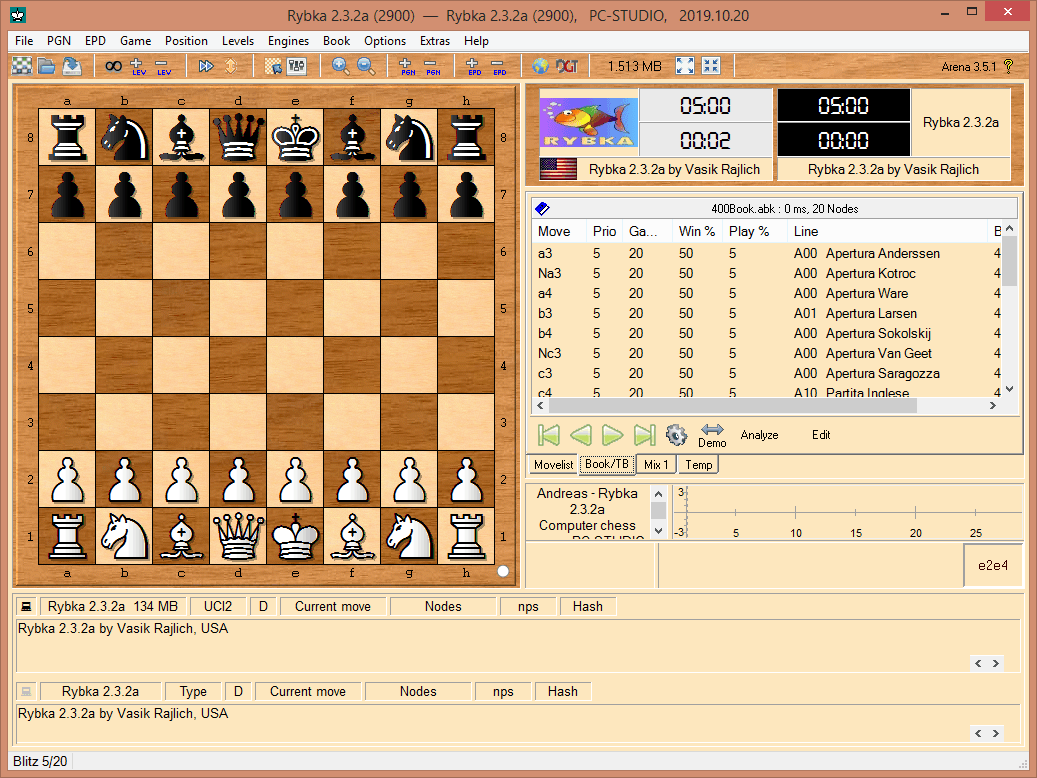
Arena è un programma di gioco ed analisi, a 32 bit per Windows e 32/64 bit per Linux, che è stato creato da Martine Blume. Esso funge essenzialmente da GUI (Graphical User Interface) per i motori scacchistici, i quali normalmente vanno scaricati ed installati successivamente a parte. Tuttavia è disponibile anche un file di setup per installare il programma con già configurati alcuni motori gratuiti.
Ecco come appare con la sua GUI:
You cannot do this with just a USB cable and a paperclip. You need professional tools:
This example uses the MTKClient (free, open-source) for FRP bypass via test point.
For bootloader unlocking (rare), use:
python mtk da seccfg unlocklg k52 test point exclusive
The word “exclusive” in forums and repair shops usually means:
“Exclusive” often implies:
Prepared for: Informational purposes only
Date: Current
Subject: Understanding test points on LG K52 (LM-K520)
For LG K52, most common service operations (FRP reset, firmware flash) can be done via: You cannot do this with just a USB cable and a paperclip
If you legitimately own the LG K52 and forgot your Google account:
Use LG’s official recovery process, not test points. If the phone is bricked, contact a professional repair shop with proof of purchase.
Even with the exclusive location, you may hit issues: This example uses the MTKClient (free, open-source) for
| Symptom | Likely Cause | Solution |
|---------|--------------|----------|
| Device shows as “Preloader USB VCOM” then disappears | You released short too late or too early | Keep short for exactly 1-2 seconds after USB insertion |
| No COM port appears | Driver signature disabled? Use Windows test mode | Install MTK drivers with driver signature enforcement OFF |
| SP Flash Tool error “S_BROM_CMD_STARTCMD_FAIL” | Auth file required | Use a download agent (DA) from stock firmware. Bypass with mtkclient first |
| Device reboots normally | Test points wrong or not making contact | Clean pads with isopropyl alcohol; use sharp tweezers |
| “Status: Handshake failed” | USB cable too long or poor quality | Use a 30cm (1ft) USB 2.0 cable |