
Защищенные мини ПК
Каждая модель PC4U имеет возможность применять наложенные средства защиты информации. Используется аппаратный модуль доверенной загрузки и аутентификации СЗИ Инспектор.
Персональный компьютер PC4U может использоваться для индивидуального домашнего и промышленного использования в коммерческих, государственных и образовательных учреждениях, там, где необходимы электронные вычисления и обработка информации.
Модельный ряд PC4U имеет системные блоки компактного размера и малого веса, что позволит не занимать много места на вашем рабочем столе. Забудьте о громоздких персональных компьютерах их эра уже заканчивается!
Модели PC4U на пассивном охлаждении имеет революционную систему пассивного охлаждения, которая обеспечит Вам комфортную работу в полной тишине.
Энергоэффективные модели PC4U имеют очень низкое энергопотребление, порядка 10 - 15 Вт/ч, что в 15 раз меньше, по сравнению с обычным персональным компьютером.
Модели PC4U построены на комплектующих последнего поколения, что позволяет с комфортом работать с графическими, вычислительными и ресурсоемкими приложениями.
При использовании энергоэффективного персонального компьютера PC4U срок окупаемости составляет 2,5 года благодаря экономии электроэнергии.
Благодаря отсутствию движущихся деталей, которые являются основным фактором выхода из строя персонального компьютера, срок службы PC4U С пассивным охлаждением составляет более 7 лет.
Модели PC4U зарекомендовали себя стабильной и эффективной работы.
Применяется собственная, запатентованная технология пассивного охлаждения.
Государственные учереждения могут приобрести модели PC4U из одного источника.
Каждая модель PC4U имеет возможность применять наложенные средства защиты информации. Используется аппаратный модуль доверенной загрузки и аутентификации СЗИ Инспектор.
Персональный компьютер PC4U предназначен для работы во многих сферах деятельности, начиная от домашнего использования и заканчивая применением в промышленных задачах.
Коммерция
Производство
Силовые структуры
Авиация
Недропользователи
Здравоохранение
Банки
Учебные заведения
Терминалы
Банкоматы
Информационные киоски
АСКУЭ
Выберите модель, которая соответствует вашим задачам
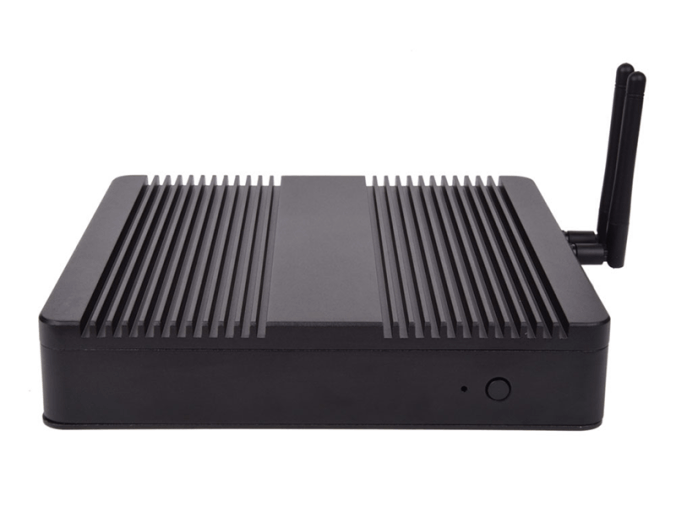
CPU: i3 6100u/7100u, i5 6200u/7200u
RAM: 2 - 16 Gb
HDD: 500 Gb - 4 Tb
SSD: 120 Gb - 1Tb
Крепление VESA
Пассивное охлаждение
Габариты: 198х198х40 мм
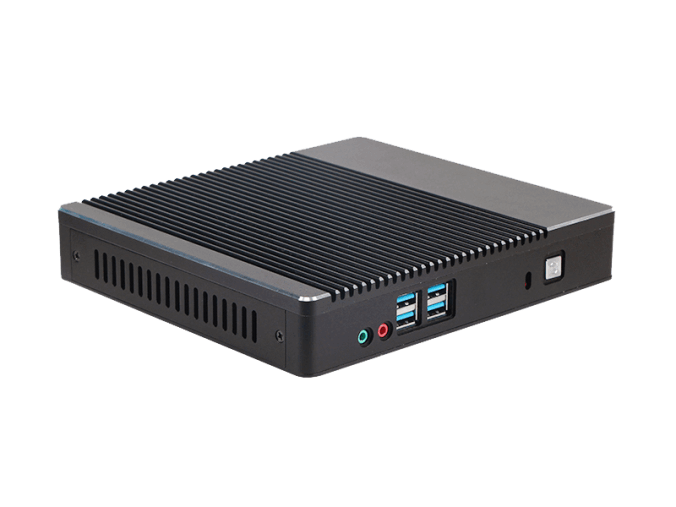
CPU: Intel Celeron, i3, i5, i7; AMD
RAM: 2 - 16 Gb
HDD: 500 Gb - 4 Tb
SSD: 120 Gb - 1Tb
Kensington Lock
Пассивное охлаждение
Габариты: 198х179х35 мм
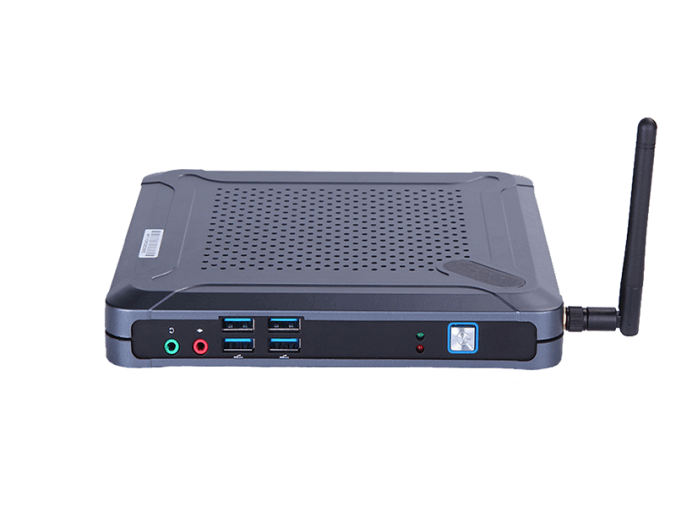
CPU: Intel Celeron, i3, i5, i7; AMD
RAM: 2 - 16 Gb
HDD: 500 Gb - 4 Tb
SSD: 120 Gb - 1Tb
Крепление на монитор
Габариты: 175х185х25 мм
Выберите модель, которая соответствует вашим задачам
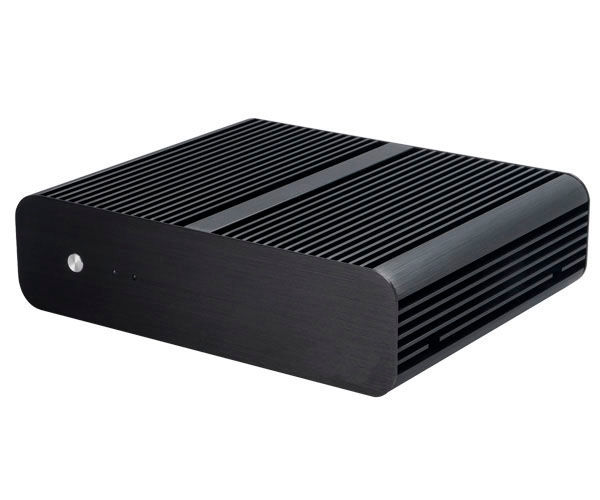
CPU: Intel Celeron, i3, i5, i7; AMD
RAM: 2 - 16 Gb
HDD: 500 Gb - 4 Tb
SSD: 120 Gb - 1Tb
Пассивное охлаждение
Габариты: 228х187х61,5 мм
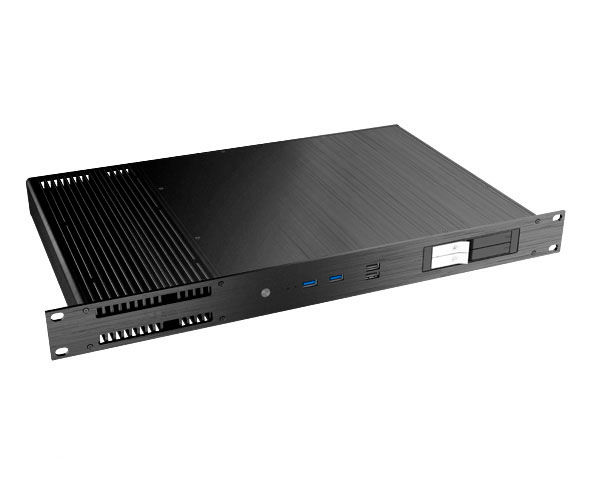
CPU: Intel Celeron, i3, i5, i7; AMD
RAM: 2 - 16 Gb
HDD: 500 Gb - 4 Tb
SSD: 120 Gb - 1Tb
Пассивное охлаждение
Kensington Lock
Крепление VESA
Габариты: 482,6х278х43,6 мм
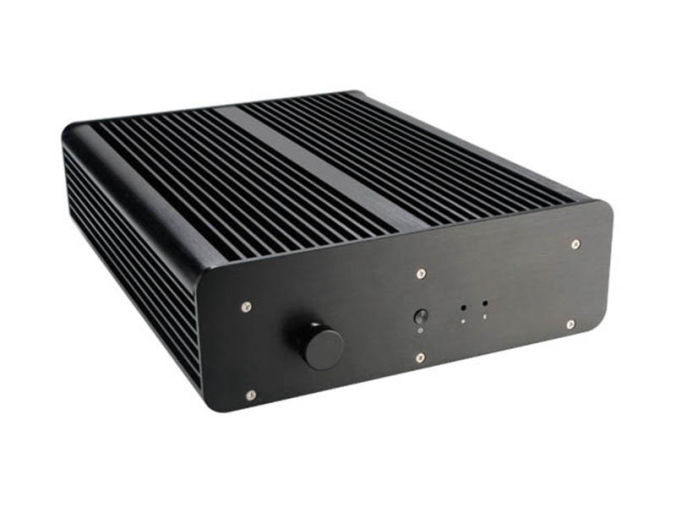
CPU: Intel Celeron, i3, i5, i7; AMD
RAM: 2 - 16 Gb
HDD: 500 Gb - 4 Tb
SSD: 120 Gb - 1Tb
Пыле - влагозащищенный
Пассивное охлаждение
Габариты: 235х308х76 мм
Выберите модель, которая соответствует вашим задачам
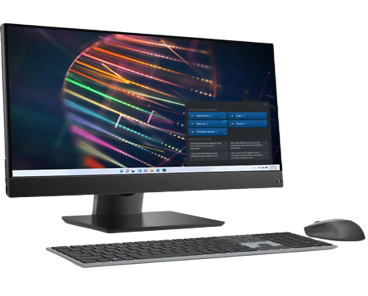
CPU: 4 ядерный процессор 11-го поколения; Тактовая частота/макс. тактовая частота 2.8/4.7GHz; Литография процессора 10hm; Кеш-память 12МБ;
RAM: тип памяти DDR4; Объем оперативной памяти 16Гб;
SSD: Объем твердотельного накопителя 512Гб;
Дисплей: Дисплей: 23.8" Разрешение Full HD 1080p (1920x1080), Антибликовое покрытие;
Особенности: Cетевой контроллер - 10/100/1000 Mb/s,
cтандарт Wi-Fi 802.11ac,
оптический привод DVD+R/RW&CD-R/RW,
звук встроенные динамики, встроенный микрофон,
встроенный виодеоадаптер, средства коммуникации LAN, WiFi, Bluetooth,
веб-камера, порты USB 2.0 - 1шт, порты USB 3.1 Gen 1-4шт,
блок питания 90Вт;
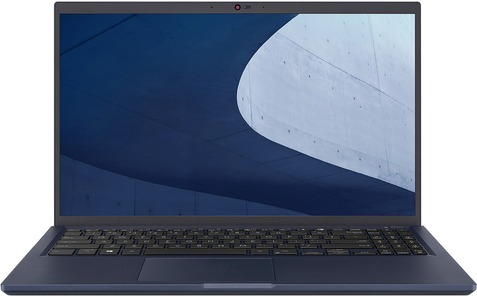
Артикул: 487PC01E
CPU: Pentium Gold/7505/2GHz
RAM:8Gb
HDD:-
SSD: M.2 PCIe 256Gb
Screen: 15,6"/1920x1080 full HD
Graphics: intel UHD/256mb
OC: Windows 10/Home
Габариты: 358x237x19 мм
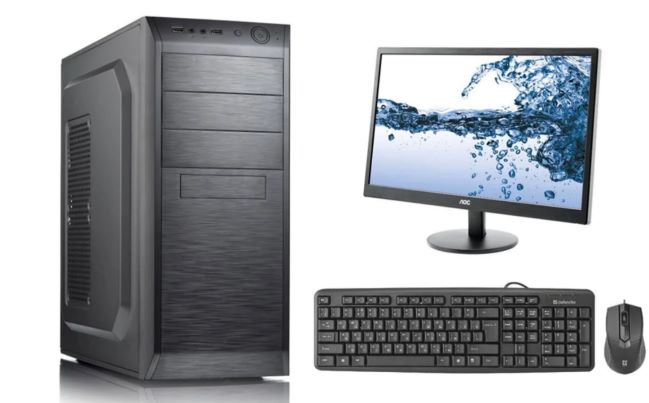
CPU: Процессор и частота процессора 12-го
поколения со встроенным
графическим адаптером
UHD-графика Intel 770
(тактовая частота 3,0 ГГц с
возможностью увеличения
до 4,6 ГГц, 18 Мбайт кэш памяти, 6 ядра, 12 потоков),
TDP не ниже 65W
RAM:8 ГБ DDR4 – 3200MHz
Hard drive: SSD 256GB M.2 PCIeNVMe, HDD 500GB 7200 RPM 2.5in
Монитор: Тип дисплея Матрица IPS со светодиодной подсветкой, входной сигнал Порт HDMI (HDCP 1.2), порт DisplayPort 1.2 , VGA
Диагональ (27 дюйма)
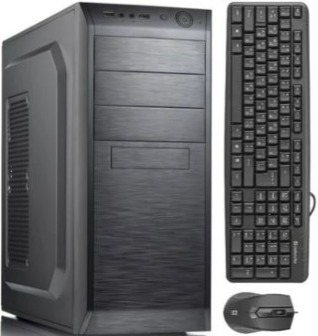
Описание тех. характеристик:
Процессор:Intel Core i5-12600K LGA1700, cash 20M, 2.80/3.70 GHz, 10(4+6)/16 Core Alder Lake, 125 (150) Вт;
Описание тех. характеристик:
Процессор:Intel i5-12600K LGA1700, 125(150)Вт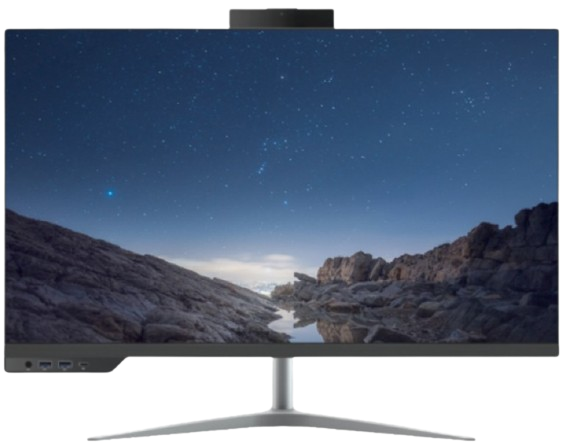
Описание тех. характеристик:
Процессор: i5-12400 LGA1700, оем, 18M, 2.50 GHz, 6/12 Core Alder Lake, 65 (117) Вт, UHD730;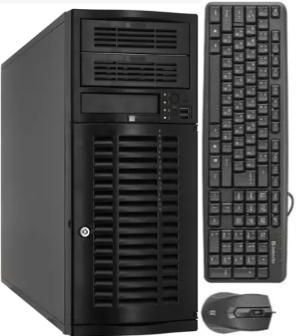
Описание тех. характеристик:
Процессор: Intel Xeon Processor W-2225 (4C 4.1GHz 4.6GHz Turbo HT 8.25MB 105W DDR4-2933)
Процессор:Core i7-13700 (8+8 Cores/30MB/24T/2.1GHz to 5.1GHz/65W)
Модуль памяти:16GB (1X16GB) DDR5 Non-ECC Memory
SSD: M.2 2230 256GB PCIe NVMe
Операционная система:Windows 11pro;
Дисплей: 23.8" FHD 1920X1080 Non Touch, 65W CPU, HDMI, FHD Camera, UMA, 160W Bronze PSU, WW;
Особенности: Intel Wi-Fi 6E (6GHz) AX211 2x2 Bluetooth 5.2 Wireless Card, Wireless Driver, Intel WiFi 6E AX211 2x2 (Gig+) + Bluetooth 5, Waves Maxx Audio
Комплект:Беспроводная стандартная клавиатура, беспроводная мышь, гарнитура;
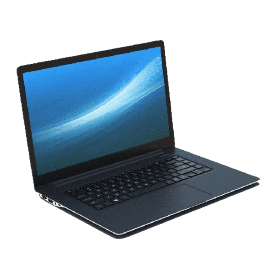
Процессор:13th Gen Intel® Core™ i7-1355U (12 MB cache, 10 cores, 12 threads, up to 5.00 GHz)
Оперативаня память:16GB, 8GBx2, DDR4, 2666MHz
SSD:512GB M.2 PCIe NVMe Solid State Drive
Экран: 15.6 inch FHD (1920 x 1080) 120Hz, матрица WVA
Графика: Intel(R) Iris(R) Xe Graphics
Oперационная система: Windows 11 Pro, English, Arabic, French, Russian, Turkish
Комплект: беспроводная мышь, сумка, зарядное устройство
Процессор:13th Generation Intel(R) Core(TM) i5-1335U (12 MB cache, 10 cores, up to 4.6 GHz)
Оперативная память:8 GB, 1 x 8 GB, DDR4, 3200 MT/s, single-channel, Non-ECC
SSD:M.2 2230 PCIe NVMe Gen4x4 256GB SSD Class 35
Экран:15.6" FHD (1920x1080) Non-Touch, AG, IPS, 250 nits, FHD Cam, WLAN
Графика:Встроенное графическое ядро;
Операционная система:Windows 11 Pro, English, Arabic, French, Russian, Turkish
Комплект:беспроводная мышь, сумка, зарядное устройство
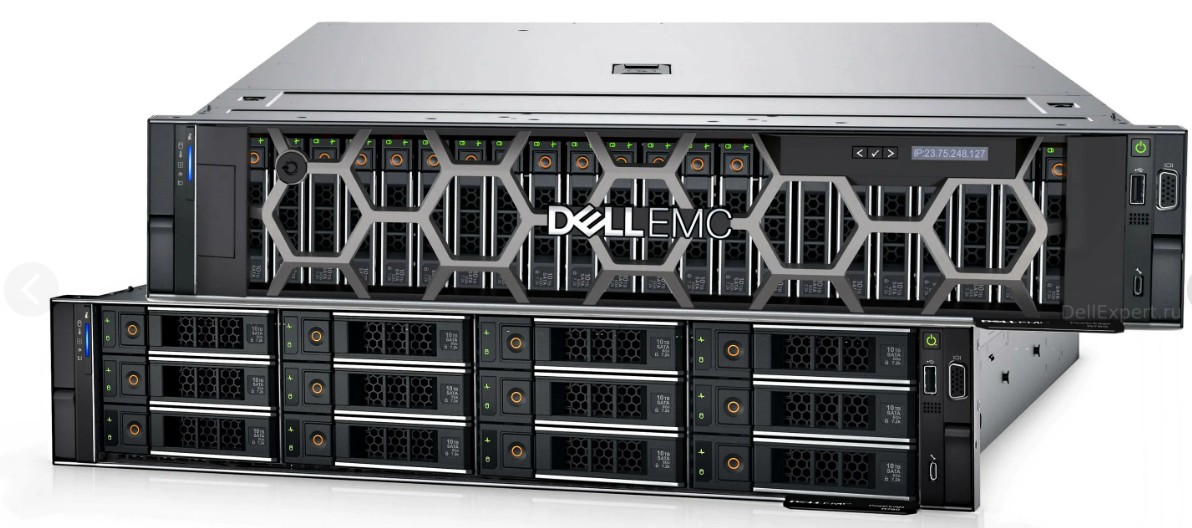
Процессор:Intel Xeon Gold 6326 2.9G, 16C/32T, 11.2GT/s, 24M Cache, Turbo, HT (185W)
Оперативная память:DDR4-3200 128 GB RDIMM, 3200MT/s
SSD:960GB SSD SATA Mix Use 6Gbps 512 2.5in Hot-plug AG Drive, 3 DWPD - 16 шт
Дополнительно:Dual, Hot-Plug, Power Supply, 1100W MM (100-240Vac) Titanium, Redundant (1+1) - 2шт
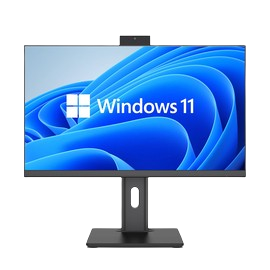
Процессор:Core i7-12650H
Модуль памяти:16GB, DDR4 3200MHz
SSD: 1TB NVMe PCIe Gen 3
Операционная система:Windows 11pro 64 Russian;
Дисплей: 23.8-27" 2560x1440 IPS
Порты: 5х USB3.1 Gen1 с поддержкой технологии подачи питания,1x RJ45, 1x DP-in или 1x DP-out; 1x HDMI; 1x USB 3.1 Type-C Gen1; 1x совмещенный порт микрофон/наушники (3,5 мм),универсальный аудиоразъем с CTIA
Особенности:Cлот для замка безопасности, Система физической безопасности корпуса, Bluetooth, Wifi, Камера.
Комплект: USB стандартная клавиатура и USB мышь, блок питание.
ㅤㅤ
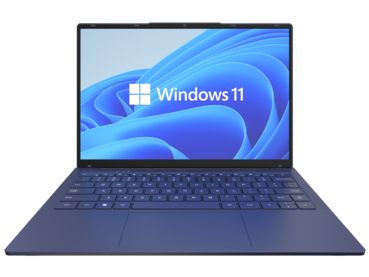
Процессор:Core i7-12 поколения
Оперативаня память:16GB, DDR4 3200MHz
SSD:1TB NVMe PCIe Gen 3
Экран: 14-15.6 FHD IPS (1920 x 1080)
Графика: Встроенная
Порты:Порты: 2x USB 3.1 Gen1; 1x USB 3.1 Type-C Gen2 (с поддержкой DP и подачи питания); 1xHDMI; 1x RJ45;
Особенности:крепления для защиты
устройства. Wifi, Bluetooth, антибликовое покрытие, гигабитный сетевой контроллер, камера
Oперационная система: Windows 11 Pro 64 Russian
ㅤㅤ
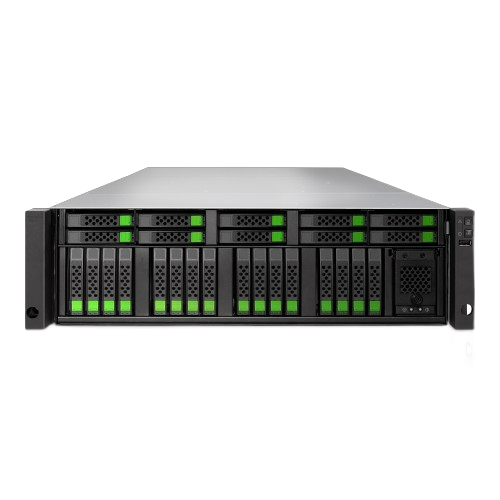
Тех. характеристики:Двухконтроллерная система All-NVMe flash, 64-разрядный 6-ядерный процессор Intel Xeon, 32 ГБ ОЗУ по умолчанию (МАКС. 768 ГБ ОЗУ), 4 порта SFP+ по 10 Гбит/с, резервный источник питания, 4 слота для дополнительных хост-карт (слот 1 и слот 2: дополнительные хост-карты для 16 Гбит/с/32 Гбит/с Fibre Channel или 10 Гбит/с/25 Гбит/с iSCSI), комплект направляющих (SLR-RM3640), модуль C2F, программное обеспечение: операционная система XEVO, тонкое выделение ресурсов, моментальные снимки, клонирование, асинхронная удаленная репликация, синхронная удаленная репликация (опционально). 400 тыс. операций ввода-вывода в секунду/0,5 мс, 200 тыс. операций ввода-вывода в секунду/0,3 мс Модуль памяти DDR4 R-DIMM ECC 16 ГБ - 8 шт Хост-карта FC 32 Гбит x2 порта SFP28, с GBIC x 1 - 4 шт Оптический трансивер SFP28 32 Гбит 4 шт. +Коммутатор
Процессор:Intel Xeon Gold 6526Y 2.8G, 16C/32T, 20GT/s, 37.5M Cache, Turbo, HT (195W) DDR5-5200 x1
Intel Xeon Gold 6526Y 2.8G, 16C/32T, 20GT/s, 37.5M Cache, Turbo, HT (195W) DDR5-5200 x1
Оперативная память:64GB RDIMM, 5600MT/s, Dual Rank x12
SSD: 1.92TB SSD SAS, RI, up to 24Gbps 512e 2.5in Hot-Plug, AG Drive x2
Дополнительно:Dual, Redundant(1+1), Hot-Plug Power Supply,1100W MM(100- 240Vac) Titanium x1
Ссылка:pc4u.kz/product-server-standart-type1
Процессор:Intel Xeon Gold 6548Y+ 2.5G, 32C/64T, 20GT/s, 60M Cache, Turbo, HT (250W) DDR5-5200 x1,
Intel Xeon Gold 6548Y+ 2.5G, 32C/64T, 20GT/s, 60M Cache, Turbo, HT (250W) DDR5-5200 x1
Оперативная память:64GB RDIMM, 5600MT/s, Dual Rank x32
HDD:600GB Hard Drive SAS ISE 12Gbps 10k 512n 2.5in Hot-Plug x1
Дополнительно:Dual, Redundant(1+1),Hot-Plug PSU,1800W MM HLAC(ONLY FOR 200-240Vac)Titanium,C16 Connector x1
Ссылка: pc4u.kz/product-server-standart-type2
Процессор:Intel Xeon Silver 4510 2.4G, 12C/24T, 16GT/s, 30M Cache, Turbo, HT (150W) DDR5-4400 x1,
Intel Xeon Silver 4510 2.4G, 12C/24T, 16GT/s, 30M Cache, Turbo, HT (150W) DDR5-4400 x1
Оперативная память:64GB RDIMM, 5600MT/s, Dual Rank x4
SSD:1.92TB SSD SAS, RI, up to 24Gbps 512e 2.5in Hot-Plug, AG Drive x2
Дополнительно:Dual, Redundant(1+1), Hot-Plug Power Supply,1100W MM(100- 240Vac) Titanium x1
Ссылка:pc4u.kz/product-server-standart-type3
Процессор:Intel Xeon Gold 5416S 2G, 16C/32T, 16GT/s, 30M Cache, Turbo, HT (150W) DDR5-4400 x1,
Intel Xeon Gold 5416S 2G, 16C/32T, 16GT/s, 30M Cache, Turbo, HT (150W) DDR5-4400 x1
Оперативная память:32GB RDIMM, 5600MT/s, Dual Rank x8
HDD:600GB Hard Drive SAS ISE 12Gbps 10k 512n 2.5in Hot-Plug x1
Дополнительно:Dual, Redundant(1+1),Hot-Plug PSU,1800W MM HLAC(ONLY FOR 200-240Vac)Titanium,C16 Connector x1
Ссылка:pc4u.kz/product-server-standart-type4
If you want, I can:
Guide to Juniper vQFX: Implementing vqfx202r110reqemuqcow2
The vqfx202r110reqemuqcow2 refers to a specific virtual disk image for the Juniper vQFX10000
Routing Engine (RE) running Junos version 20.2R1.10 in a QEMU-compatible format. The vQFX is a virtualized version of the physical QFX10000 series switches, designed for network simulation and lab testing without requiring expensive hardware. Architecture of vQFX
To function correctly, the vQFX requires two separate virtual machines working in tandem:
Routing Engine (RE): The control plane where the Junos OS runs and configurations are managed. This is the component represented by the vqfx202r110reqemuqcow2 image.
Packet Forwarding Engine (PFE): The data plane that handles traffic forwarding. In virtualized environments, this is often a separate "Cosim" image. Deployment Prerequisites
Running this image typically requires a network emulator such as EVE-NG or GNS3. download for vQFX 20.2 is actually 19.4 | Data Center
Running the vQFX-20.2R1.10 virtual routing engine (vqfx-20.2R1.10-re-qemu.qcow2) requires a dual-VM setup because the vQFX is split into a Routing Engine (RE) and a Packet Forwarding Engine (PFE). To make it work, you must link these two separate QEMU virtual machines over a dedicated internal network. Core Components Required To get a functional switch, you need both images: RE Image: vqfx-20.2R1.10-re-qemu.qcow2 (the control plane).
PFE Image: Typically vqfx-20.2R1-2019010209-pfe-qemu.qcow (the data plane). Step-by-Step Configuration
The following specifications are standard for platforms like GNS3 or EVE-NG: 1. VM Resource Allocation vCPUs: Assign 2 vCPUs to each VM.
RAM: Allocate at least 1024 MB for the RE and 2048 MB to 4096 MB for the PFE.
NIC Type: Crucially, set the network interface type to virtio-net-pci; otherwise, the RE and PFE may fail to communicate. 2. Critical Interface Wiring You must connect the VMs precisely for them to "handshake":
RE Interface em0: Reserved for Management/Out-of-Band access.
RE Interface em1: Must connect directly to PFE Interface em1. This is the internal control link between the brain (RE) and the muscle (PFE).
RE Interface em2 and above: These are your actual switch ports (e.g., xe-0/0/0) where you connect other network devices in your lab. 3. Initial Access Default Username: root. Default Password: Juniper (case-sensitive). Known Issues & Troubleshooting
Version Mismatch: Although the filename says 20.2, some users report the image actually runs version 19.4R1.
Boot Time: The vQFX is notoriously slow to boot. It can take 7 to 10 minutes for the interfaces to fully populate and the RE to become "Master".
Graceful Shutdown: Always use request system power-off both-routing-engines to avoid disk corruption or "non-master" role issues on the next boot. Guide: Importing Juniper vMX and vQFX into CML2.4
The Virtual Infrastructure: Understanding the vQFX-10000 in Emulated Environments vqfx202r110reqemuqcow2 work
In the evolving landscape of network engineering, the transition from physical hardware to virtualized environments has revolutionized how professionals design, test, and deploy network architectures. At the heart of this shift for Juniper Networks enthusiasts is the vQFX-10000, specifically represented by specialized disk images such as vqfx202r110reqemuqcow2. This file format is not merely a collection of data but a crucial building block for high-fidelity network simulation. The Role of the QCOW2 Format
The file extension .qcow2 (QEMU Copy On Write version 2) is a storage format for virtual disks. Unlike raw images, QCOW2 files are efficient; they grow dynamically as data is added and support snapshots, making them ideal for the iterative nature of lab environments. When a network engineer works with vqfx202r110reqemuqcow2, they are interacting with a pre-configured virtual appliance designed to run within the QEMU/KVM hypervisor. This specific versioning—20.2R1.10—indicates a Junos OS release that provides a stable platform for testing modern switching features like EVPN-VXLAN and advanced routing protocols. Architectural Separation: PFE and RE
A defining characteristic of the vQFX "work" or operation is its dual-component architecture. Unlike a simple virtual machine, the vQFX typically requires two distinct virtual disks to function accurately:
The Routing Engine (RE): This is the "brain" of the switch. It manages the control plane, handles routing updates, and provides the CLI (Command Line Interface) for the user.
The Packet Forwarding Engine (PFE): This simulates the hardware ASICs (Application-Specific Integrated Circuits) that handle the actual data traffic.
The "work" involved in setting up vqfx202r110reqemuqcow2 often revolves around bridging these two virtual entities so they communicate as a single logical switch. This setup allows engineers to simulate complex data center topologies on a standard laptop or server without the overhead of six-figure hardware. Impact on Network Education and Reliability
The availability of these virtual images has democratized network education. By utilizing tools like GNS3, EVE-NG, or PNETLab, students and senior architects alike can "work" through scenarios that were previously impossible to replicate. They can intentionally break configurations, simulate link failures, and validate automation scripts against a virtual instance that behaves almost identically to a physical QFX series switch.
In conclusion, the vqfx202r110reqemuqcow2 image represents more than just a software file; it is a gateway to modern network virtualization. By mastering the deployment and operation of these virtual appliances, network professionals ensure that when they move from the virtual "work" to the physical production environment, their configurations are resilient, validated, and ready for the demands of the modern data center.
. This image is designed to run in a QEMU/KVM environment, often within network simulation platforms like
To get this specific image working, you typically need its counterpart, the PFE (Packet Forwarding Engine)
image, as the vQFX architecture splits these functions into two separate virtual machines. How to Get vQFX 20.2R1.10 Working
To successfully boot and use this image, follow these integration steps: Pair with the PFE : A vQFX setup requires two nodes. While your file is the RE (Control Plane) , you also need the corresponding vqfx-20.2R1.10-pfe-qemu.qcow2 Data Plane ) for traffic to actually flow. Resource Allocation RE (Your file) : Assign at least : Assign at least Connectivity : In your simulator (like EVE-NG), you must connect the interface of the RE to the
interface of the PFE. This internal link allows the "brain" (RE) to talk to the "muscle" (PFE). Management Access interface on the RE for SSH/Telnet management. Virtualization Settings Nested Virtualization
(VT-x/AMD-V) is enabled on your host machine, as Junos OS runs as a VM within QEMU. Common Troubleshooting Stuck at Boot
: If the RE hangs at the login prompt or doesn't see interfaces, ensure the PFE is powered on and the internal link is correctly mapped. License Warnings
: vQFX usually comes with a trial period. For lab use, "Evaluation" mode is standard, though some advanced features may require a license. QEMU Version QEMU 2.4.0 or higher for the best stability with Junos 20.x images.
To get the Juniper vQFX 20.2R1.10 (vqfx-20.2R1.10-re-qemu.qcow2) working correctly, you must pair it with its corresponding Packet Forwarding Engine (PFE) image. Unlike typical routers, the vQFX is a split-architecture virtual switch where the Routing Engine (RE) handles the control plane and the PFE handles the data plane. Core Components Required RE Image: vqfx-20.2R1.10-re-qemu.qcow2.
PFE Image: vqfx-20.2R1-2019010209-pfe-qemu.qcow (often bundled with the 20.2 download).
Note on Versioning: Even if the filename says 20.2, running show version within Junos may report 19.4R1. This is a known labeling discrepancy from the Juniper portal. Basic Configuration Steps Guide: Importing Juniper vMX and vQFX into CML2.4 If you want, I can:
The request landed on Tariq’s terminal at 11:47 PM: REQ-VQFX-202-R110 / EMU / QCOW2.
He sighed. The lab’s physical switches were already racked and cabled for the new data center simulation, but the budget had been cut. Again. No hardware meant he had to build the entire spine-leaf topology in software.
"Alright, 'R110'," he muttered, pulling up the automation script. "Let's see if you work."
The vqfx202 was his go-to virtual switch—a tiny, fierce Juniper vQFX that acted like a 10-pound bruiser in a 1-pound sack. But the R110 requirement was the problem. The latest release. Buggy. Unforgiving.
He downloaded the vqfx202-r110.qcow2 image—the golden QEMU copy-on-write file. It was pristine. Untouched. He’d learned long ago never to trust the raw images.
"Step one: clone," he whispered, typing:
qemu-img create -f qcow2 -b vqfx202-r110.qcow2 vqfx202-lab1.qcow2
The terminal blinked back: Formatting 'vqfx202-lab1.qcow2', fmt=qcow2 size=...
Good. The backing file was intact. He spun up the first emu instance—QEMU with PCI pass-through for the virtual ASICs.
qemu-system-x86_64 -machine pc -cpu host -smp 2 -m 4096 \
  -drive file=vqfx202-lab1.qcow2,if=ide,index=1,media=disk \
  -device virtio-net-pci,netdev=leaf1_int ...
The console flickered. Juniper’s loader chugged. Then—green text.
FreeBSD/x86 (vqfx202-re) (ttyu0)
He was in. The RE (Routing Engine) was alive.
"Ping the spine," he commanded the script. And silence.
No. Not silence—thundering quiet. The virtual links were down. He checked the bridge interfaces. The MACs were there. The VLAN tags matched. But the vqfx202 was stubborn as a mule.
Then he remembered: the R110 release had a new quirk. It required explicit set chassis fpc 0 pic 0 tunnel-services for the virtual fabric links. The old R90 didn't need it.
He patched the configuration via netconf-console, holding his breath.
commit complete.
He launched a second emu instance—another leaf—and watched the LLDP neighbors crawl across the console like electronic ants.
System > vqfx202-re2 | Link: up | Protocol: up
"Work, you beautiful bastard," he grinned. The request landed on Tariq’s terminal at 11:47
And it did. The tiny virtual spine saw the leaves. The leaves saw the hosts. Traffic flowed—not at 100G, but at virtual speed, enough for the devs to test their BGP policies.
At 2:13 AM, Tariq closed his laptop. The lab was running. 16 virtual switches, 32 host emulators, all eating RAM like candy, but holding steady.
He wrote in the handover log:
REQ-VQFX-202-R110 – Deployed. QCOW2 snapshots taken. EMU instances stable.
Note: tunnel-services required. Works. Barely. Don't touch until Monday.
Then he smiled. Another impossible request, shipped. Because at the end of the day, if you know how to bend QEMU, QCOW2, and Juniper’s will to your own… anything can work.
Based on the keyword string provided, you are looking for documentation or a "white paper" regarding the Juniper vQFX (Virtual QFX) version 20.2R1.10 image file (vqfx202r110reqemuqcow2), which is used for simulating network environments.
Here is a technical brief regarding that specific file and its usage.
Inside the mounted image, add a post-boot script that loads your feature.
Example:
Create /mnt/vqfx/etc/rc.local or override /mnt/vqfx/config/juniper.conf.
Better approach – use a custom OVA/libvirt XML with virt-customize:
virt-customize -a vqfx202r110reqemuqcow2 \
  --run-command 'echo "set system commit script file auto-config.slax" >> /config/juniper.conf' \
  --copy-in my-auto-config.slax:/var/tmp/
Cause: The RE expects a PFE (Packet Forwarding Engine) to communicate with over inter-process communication (IPC). Without a PFE, the CLI may hang on show route.
Workaround: Disable PFE liveness checks:
set system processes dhcp-service disable
set system processes l2ald disable
set chassis fpc 0 offline
On leaf1:
set protocols evpn encapsulation vxlan
set interfaces vxlan vni 101 vxlan-udp-port 4789
set switch-options vtep-source-interface lo0
Because vqfx202r110reqemuqcow2 includes full EVPN support (unlike older vMX), it works flawlessly once PFE is online.
Before diving into the technical steps, understand why this specific image remains popular:
The challenge is that the raw qcow2 downloaded from Juniper’s website rarely “just works” on standard QEMU/KVM. It requires specific XML tuning and often a disk conversion.
If you need a VMDK for ESXi, convert:
qemu-img convert -f qcow2 -O vmdk vqfx202r110reqemuqcow2.vmdk
Some engineers ask if vqfx202r110reqemuqcow2 can work on Docker or User-mode QEMU. No — the kernel modules require hardware virtualization. However, it can work on:
Cause: Wrong bus type. vQFX expects virtio-blk, not sata.
Fix: Ensure <target dev='vda' bus='virtio'/>.